Learn, Lift, Lead
The gym log that tells you what to lift next.
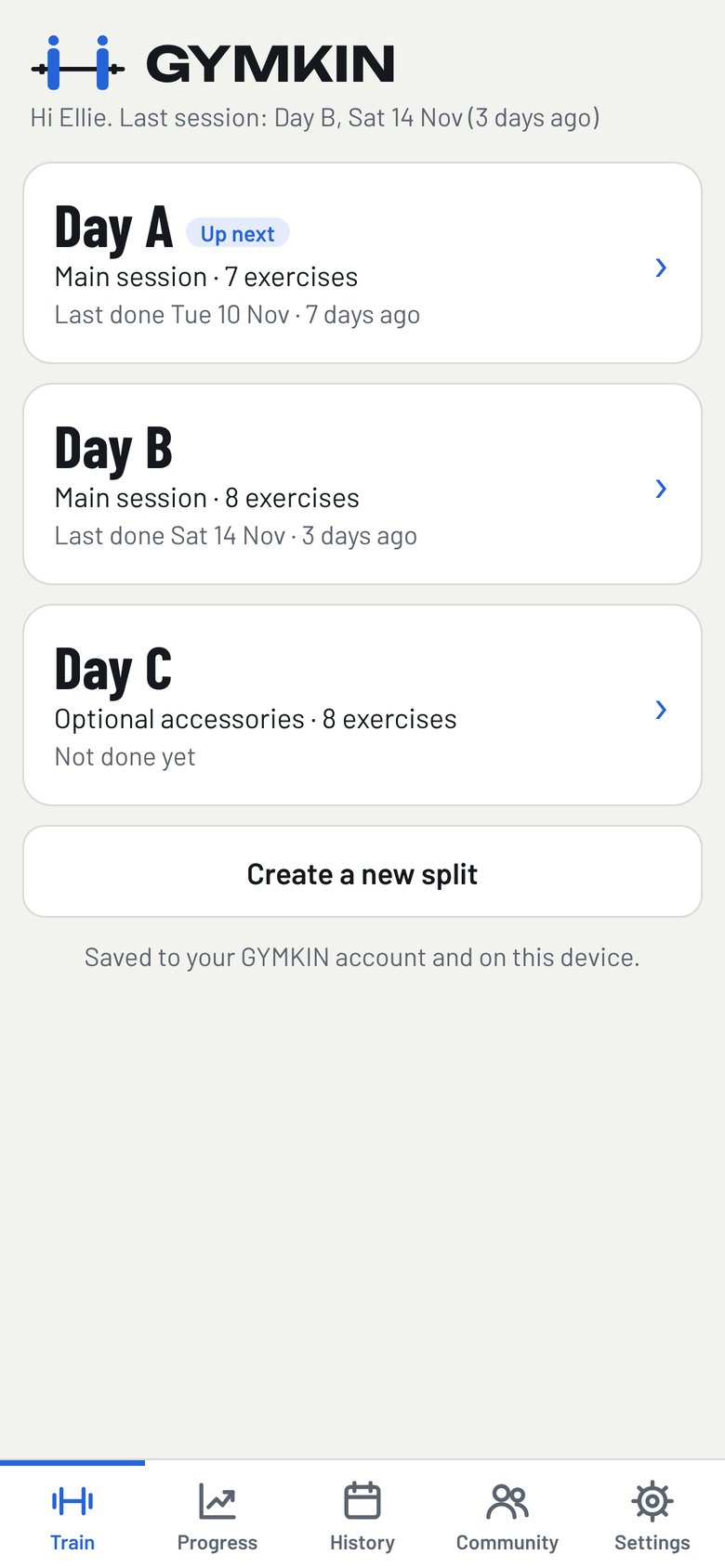
GYMKIN fills in today’s targets from your last session, so most sets take a single tap. Watch your lifts climb, and train with friends from your gym.
Free to use. Works in Safari on iPhone and Chrome on Android.
App Store and Google Play apps coming soon.
How it works
Less admin between sets. More progress over the weeks.
Log your sets in seconds
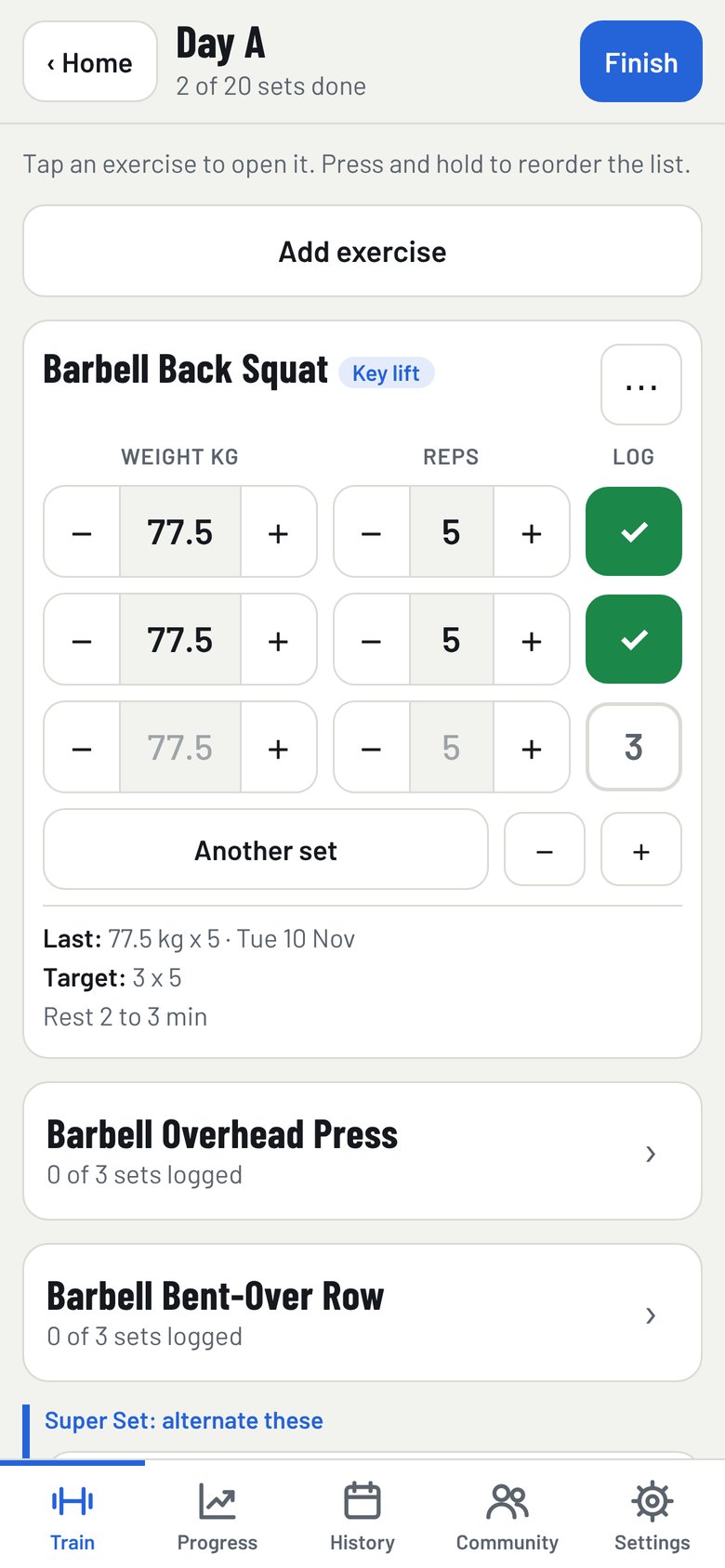
Today’s target is already filled in. Tap Log to accept it, or nudge the weight or reps first.
Follow the targets
Hit the top of your rep range on every set and the weight goes up next time. Otherwise, aim for one more rep.
Train with your crew
Add friends from your gym, share your sessions and see where you rank on the leaderboard.
Logging
Made for the gym floor
Big buttons, hardly any typing and one exercise open at a time. Logging a set takes a tap, even when you are out of breath.
- Today’s target filled in for every set
- Supersets, swaps and skips for a busy gym
- Opens and saves with a poor signal
Progress
See yourself getting stronger
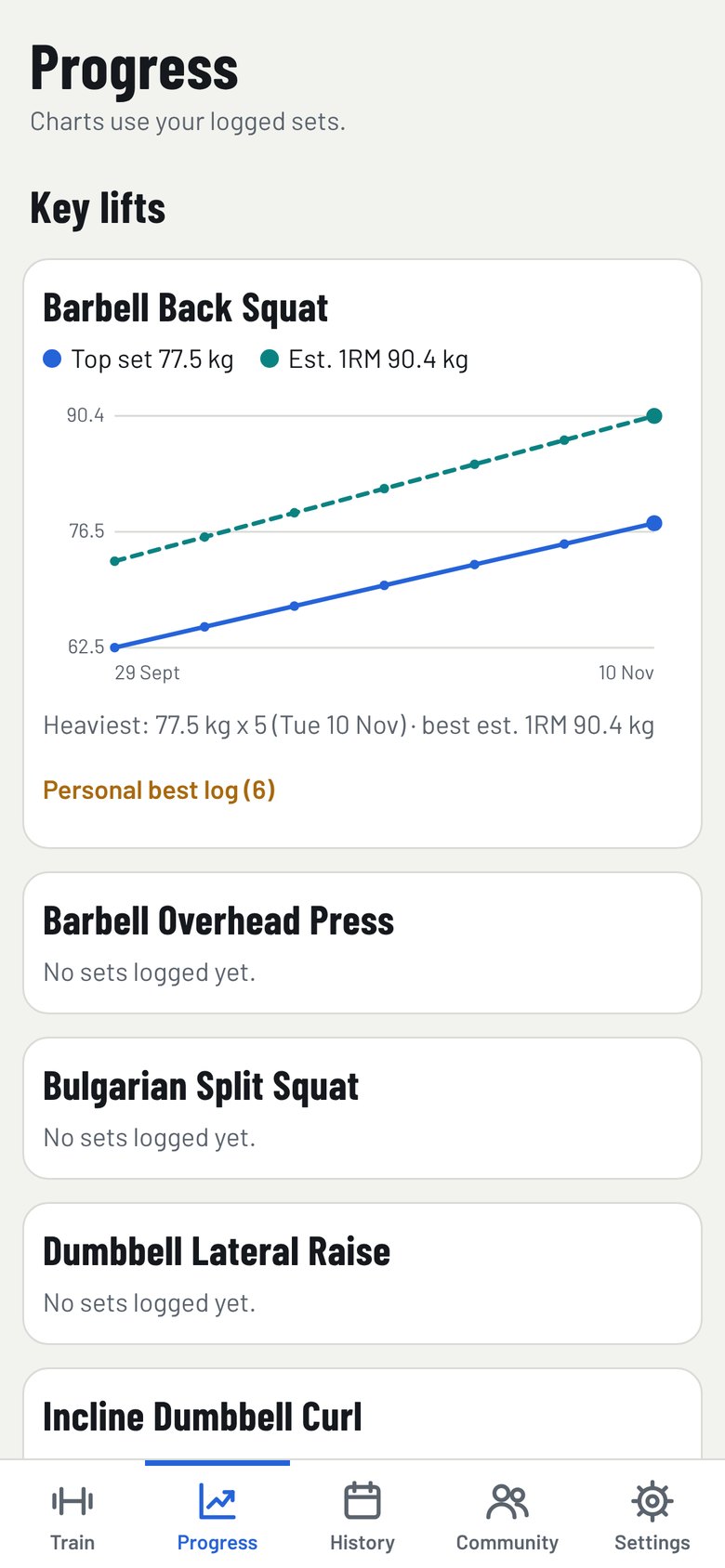
Every set you log feeds your charts. Follow your top set and estimated one rep max for each key lift, week by week.
- Charts for every key lift
- Personal bests flagged as you finish
- Download a backup of your log any time
Community
Train with your crew
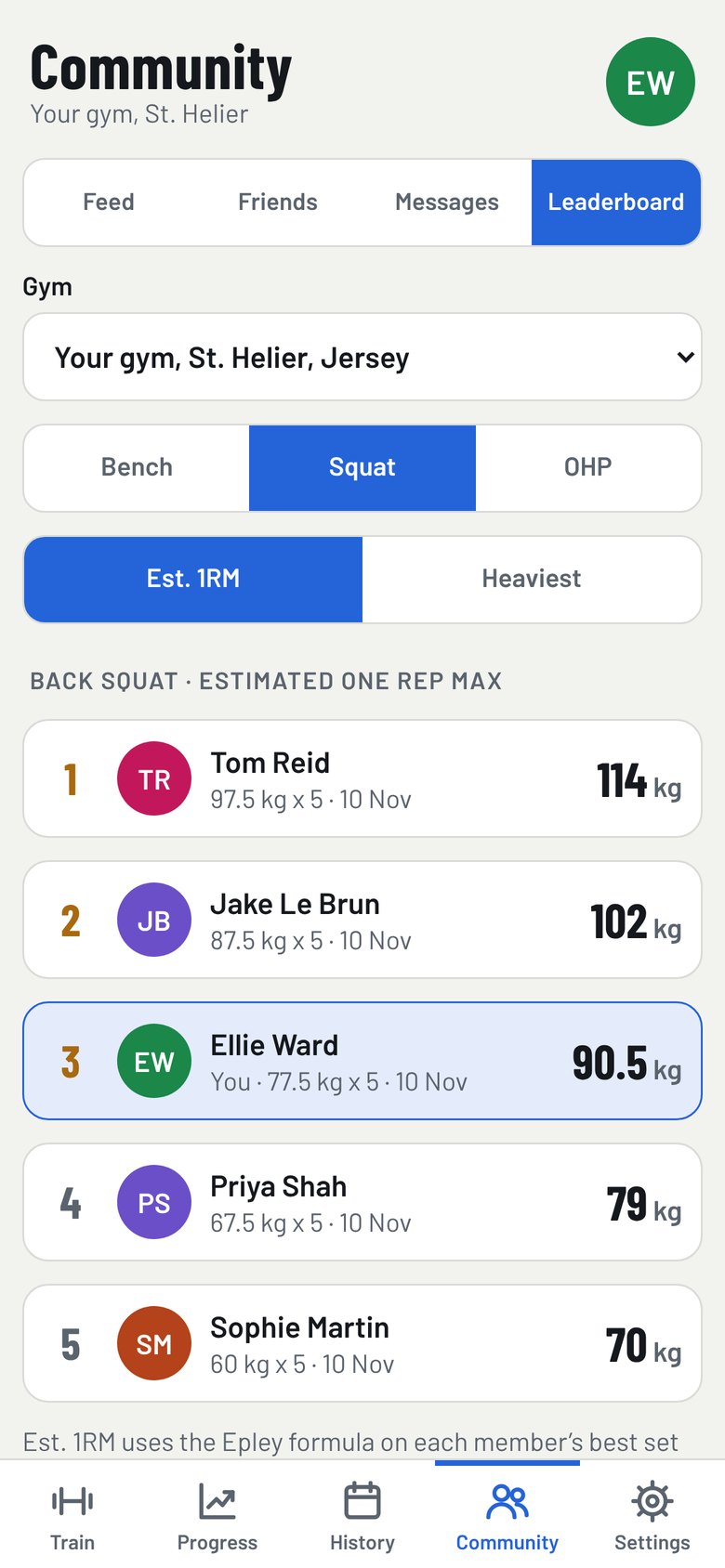
Add friends, share your sessions and push each other on. See where you rank at your gym for bench, squat and overhead press.
- Likes and comments on shared workouts
- Messages encrypted on your phone
- Gym leaderboards, starting with Jersey
- A public or private profile, your choice
Install
Add GYMKIN to your home screen
No App Store download needed. Add it once from your browser and it opens full screen, just like an app.
- Open gymkin.co.uk in Safari
- Tap the Share button
- Tap Add to Home Screen
On Android, open gymkin.co.uk in Chrome, tap the menu, then Add to Home screen.
Questions
Good to know
Is GYMKIN free?
Yes, GYMKIN is free to use.
Does it work with a poor signal?
Yes. Everything you log is saved on your phone first, then synced to your account when you have a signal.
Who can see my training?
Only you. You choose what to share with the community, and messages are encrypted on your phone. No adverts, and your data is never sold.
Is there an App Store app?
Not yet. Add GYMKIN to your home screen and it opens full screen like any other app.
Can I use pounds?
Yes. GYMKIN uses kilograms by default, and you can switch to pounds in Settings.
Can I take my data with me?
Yes. Download a backup of your whole log at any time from Settings, or delete your account and everything in it.